 DentalCloud
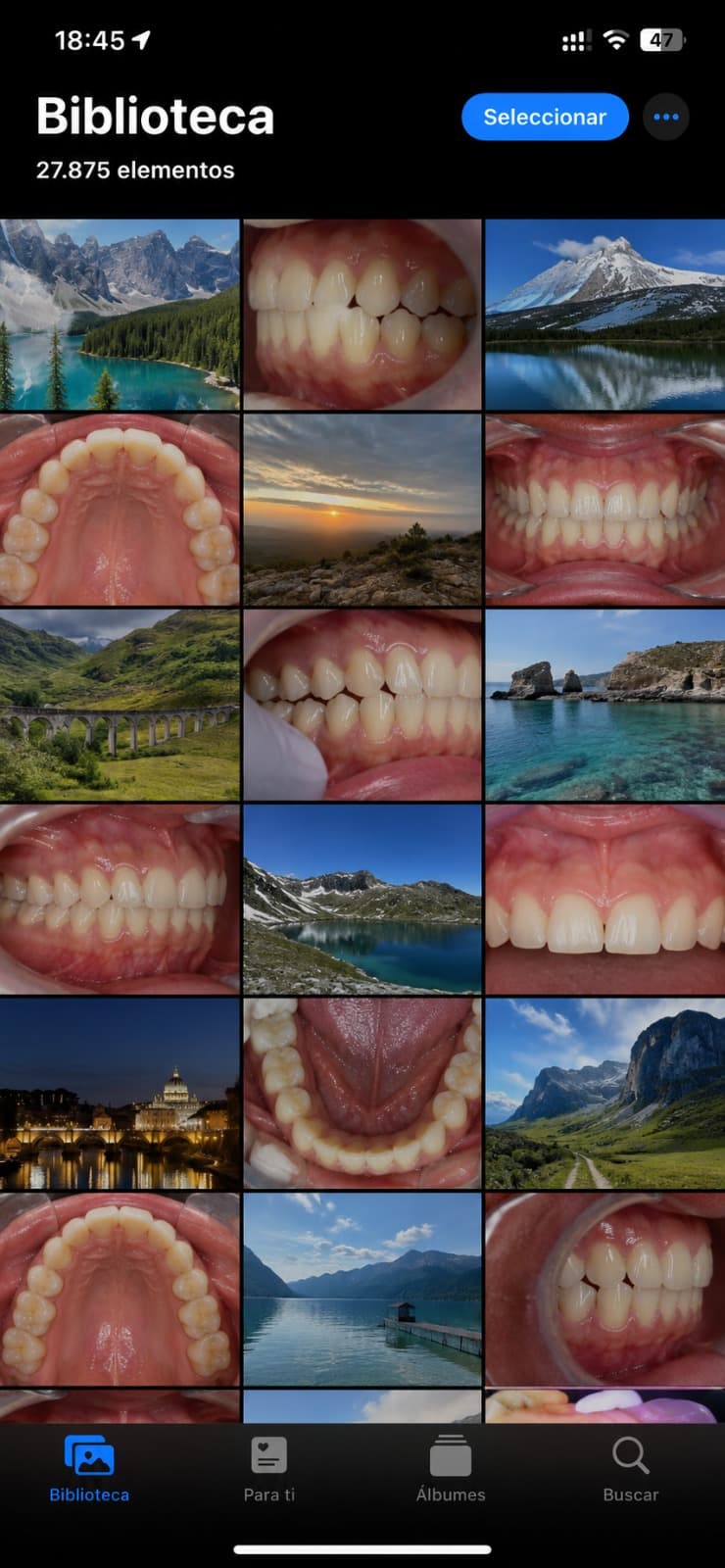
Your patient photos shouldn't live in your camera roll.
Thousands of before and after shots, mixed in with holiday photos, impossible to find when you need them. DentalCloud organises every patient, every visit, every angle — so the case you took last March is one tap away.
Today
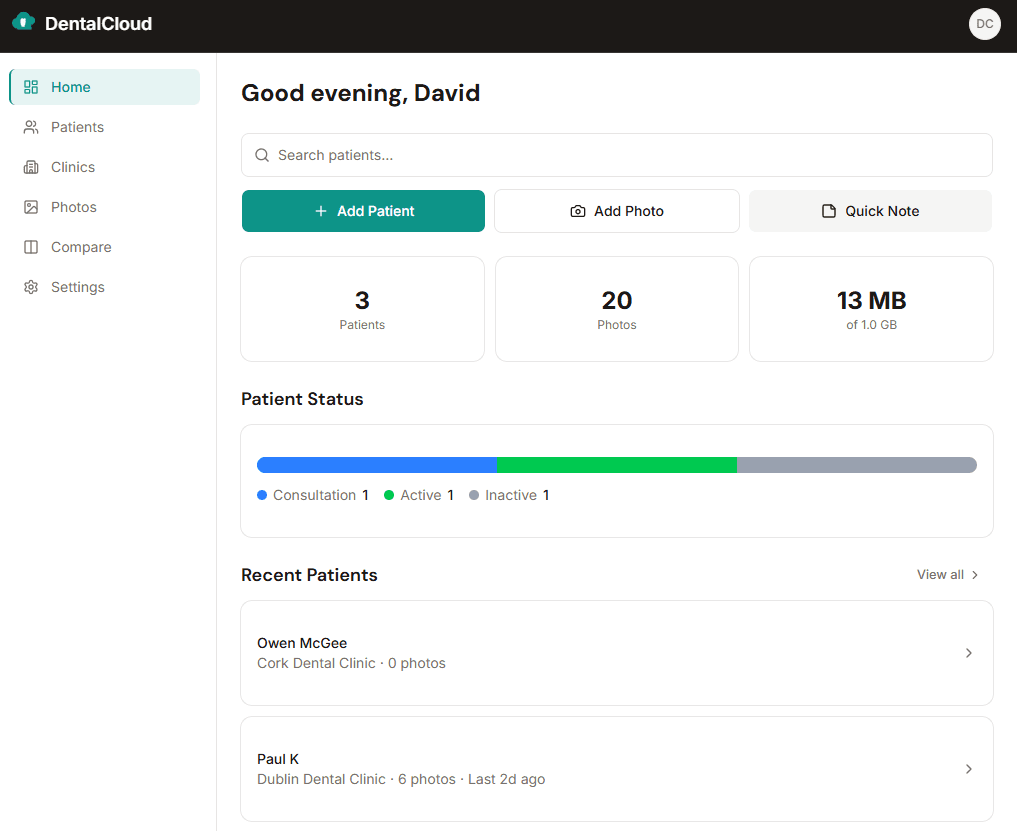
With DentalCloud
Built for independent dentists.

Locum dentists
Carry every case with you, practice to practice.

Orthodontists
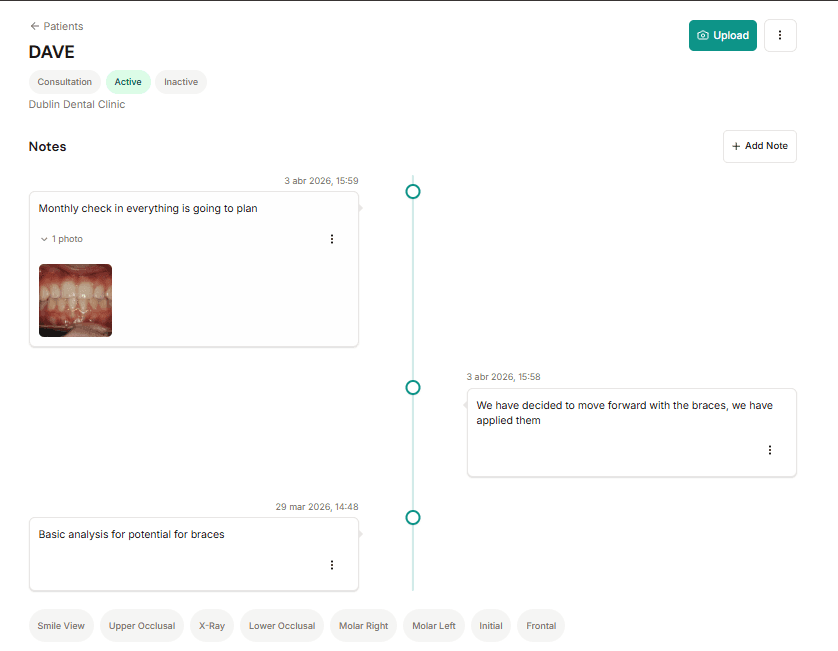
Twelve months of treatment progress, in one timeline.

Cosmetic & aesthetic dentists
Hundreds of before-and-after cases, organised by patient.
Ten minutes of scrolling to find one before-photo.
Patient asks how their treatment's gone. You start scrolling. Past holiday photos, screenshots, the lunch you photographed last Tuesday. The case from March is in there somewhere.
DentalCloud organises every photo by patient and date the moment you take it. No scrolling. No searching. The case you need, in one tap.
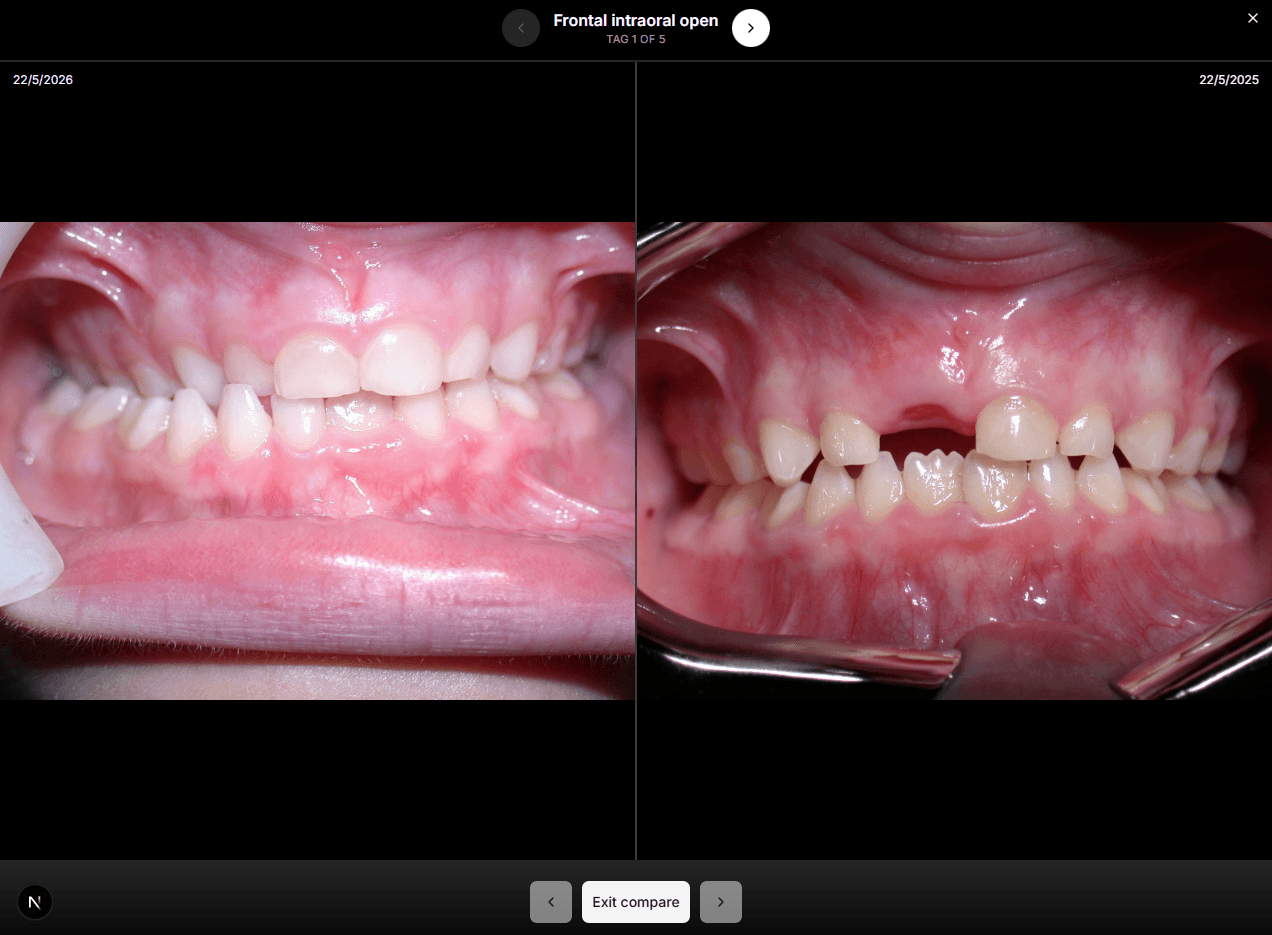
You can see the progress. The patient can't.
Six visits in. The alignment's shifted. The staining's lifted. You can see it working. But the patient only sees today's mouth — and proving the progress means digging through a thousand camera roll shots first.
DentalCloud puts any two visits side-by-side in one tap. The progress is plain. The conversation gets easier.
Your best cases, hidden in your phone.
A colleague asks how that complex case went. A referring practice wants to see what you can do. You promise to send something over — then spend an hour digging through camera roll shots to put it together.
DentalCloud turns any patient timeline into a clean, shareable link. One URL. They see the full story.
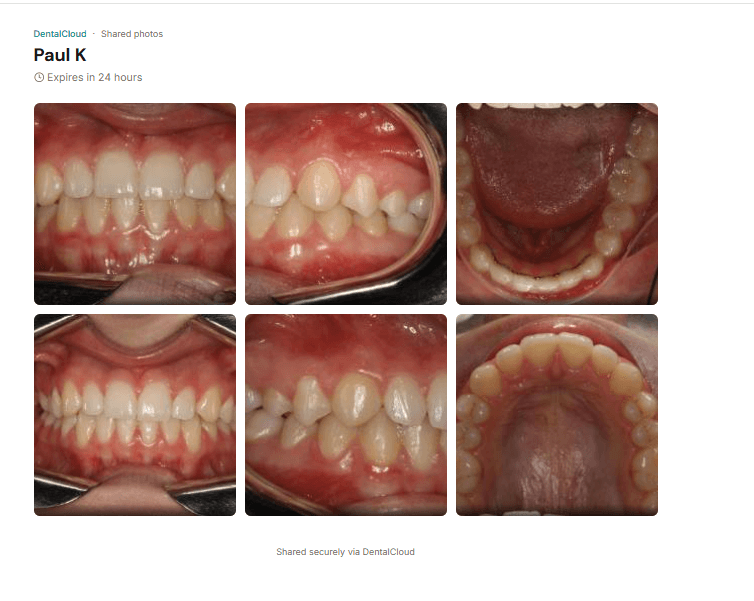
Three taps from photo to organised timeline.
Take the photo
Open DentalCloud and tap the camera.
Pick the patient
One tap. It's filed by date in their timeline.
See the progress
Pick any two visits. Compare side-by-side, instantly.
Free forever. No card needed.
Upgrade when you outgrow it. Cancel anytime.
From dentists already using it.
“I find it really useful for storing my photos.”
— Ana
“The compare feature is excellent once it's tagged correctly.”
— Paul
Questions, answered.
Is the free plan really free forever?
Yes. Up to 5 patients and 150 MB of storage, no time limit, no card needed. Upgrade only when you outgrow it.
Does it work on my phone?
DentalCloud is built mobile-first for iPhone and Android. Add it to your home screen and it behaves like a native app — no install required.
Can I upload photos I've already taken?
Yes. Pull from your camera roll, assign them to a patient, and they land in the timeline by the date you took them.
Is patient data secure?
Photos are encrypted in transit (TLS 1.2+) and at rest (AES-256) on Microsoft Azure. EXIF metadata is stripped on upload. UK GDPR-aligned, with HIPAA accreditation in progress.
Can I cancel anytime?
Yes. Cancel from your account at any time — no fees, no penalties.
Can I export my photos if I leave?
Bulk export is on the near-term roadmap. In the meantime, you can request a full data export by emailing support@dentalcloud.io — we'll respond within 5 working days.
Your camera roll isn't a portfolio.
DentalCloud is. Free forever, no card needed.
More reading: Best Dental Photo Apps in 2026: What Independent Dentists Actually Need·How to Get Patient Consent for Dental Photos (With Template)·The Complete Guide to Building a Dental Case Library From Scratch·Landing Your First Associate Role After DDS·ADC Portfolio Requirements: Preparing Your Case Documentation for Australia·Dental Indemnity for Locums: What You Actually Need·All posts →